Your Radio Sonic Identity
The jingle is the fundamental element of a radio sonic identity. Short, memorable and instantly recognizable, it punctuates the broadcast and reinforces the listener's attachment to the station. With SpeakRadio, creating a professional jingle takes just a few minutes.
Access the Jingle Creator
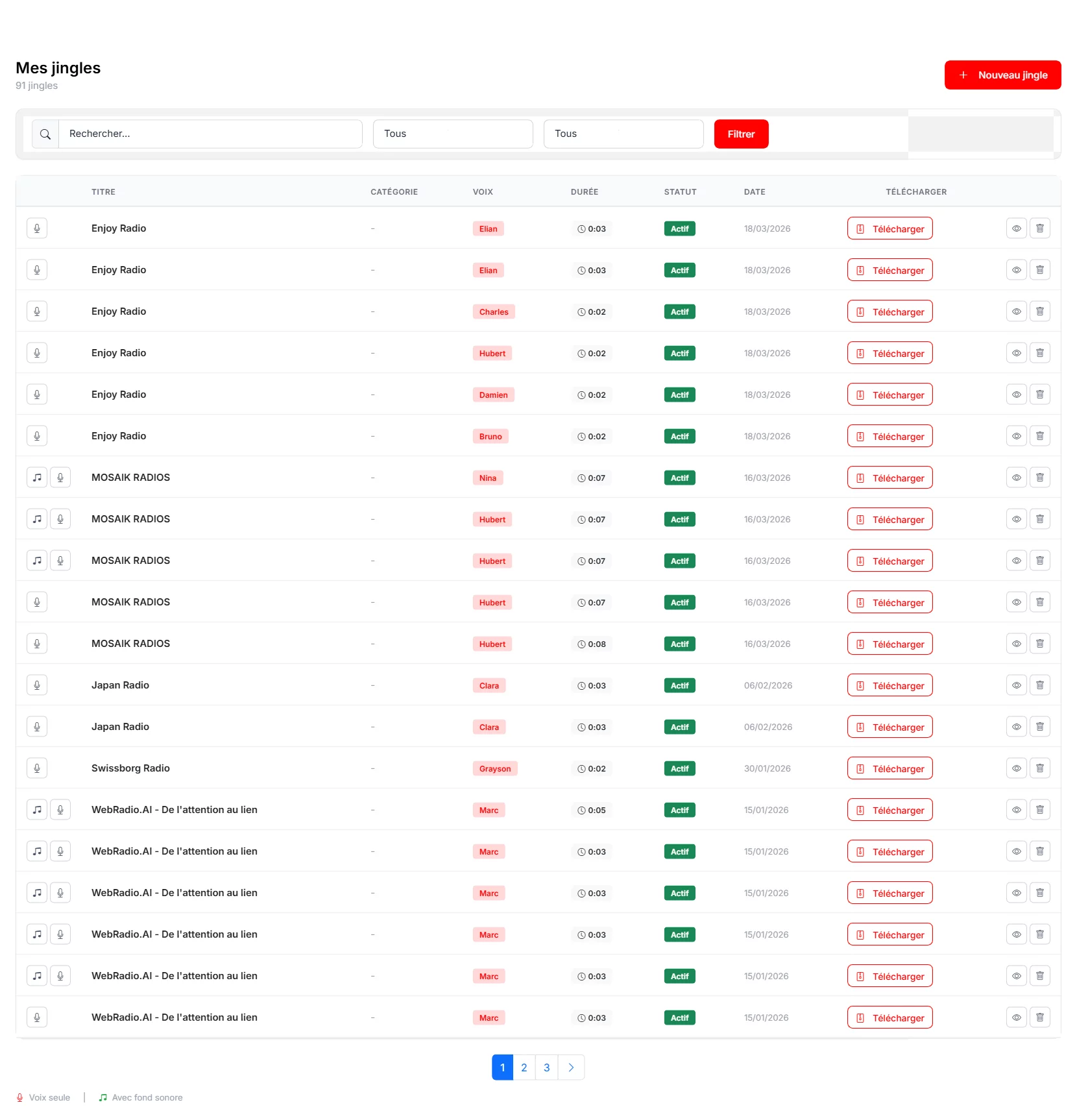
From the sidebar menu, click on "Jingles" then "New Jingle". The creation interface opens with all the options needed to configure your sound signature.
Configure Your Jingle
The jingle configuration includes:

- Title : Clearly identify your jingle (e.g., "Morning Jingle", "Weather Intro").
- Voice : Select from 61 available voices. For a jingle, prefer a voice with character that stands out immediately.
- Intonation : Dynamic and Enthusiastic work particularly well for jingles. Test several combinations.
- Background sound : Choose a musical bed that matches your station's mood. The background library offers various styles: pop, rock, chill, news, etc.
Write the Jingle Text
An effective jingle is short and punchy. The text area accepts short messages (5 to 15 words ideally). Think of your station's slogan, frequency, or a signature phrase. Use the AI generation for creative ideas if needed.
Generate and Use Your Jingle
Click "Generate the jingle" to start production. The AI creates a natural voice synthesis, applies the intonation, and mixes it with the chosen background. Once generated, listen to the preview, then download the MP3 file for broadcast integration.

Best Practices
Create multiple versions of your jingle (morning, evening, weekend) for variety. Keep the total duration under 10 seconds for maximum impact. Use a consistent voice across your jingles to build recognition. Test your jingles on different devices (studio monitors, car radio, smartphone) to ensure quality everywhere.
To complete your station's sonic identity, learn how to create an audio ad spot or automate your voice tracks. Check our getting started guide for a full platform overview.